

2Pint Software events and webinars
Welcome to the 2Pint Software events calendar. Here you will find a list of our online webinars and in-person events that we will be attending. You can also replay some previous events if you missed them. Hope to see you soon!
MMS Midway Edition
MMS 2026 Midway Edition is the second iteration of MMS in 2026, hosted on the bay of San Diego.
Dive into six simultaneous sessions every hour, complemented by Wingman Sessions (aka cabana sessions) where attendees can get one-on-one time with speakers. Happy Hour sessions will be held each day starting at 5pm where friendly, small sessions will help you to network with your peers while sipping on a cool one.
Stay energized with continuous coffee, snacks, and daily lunch. MMS is designed to maximize both learning and networking opportunities.
AZSMUG 20th Anniversary Meeting
AZSMUG (Arizona Systems Management User Group) unites southern Arizona's endpoint community. It's a free, IT pro-led community for the people managing Microsoft Intune, Configuration Manager, Windows, and the modern workplace.
Quarterly meetings offer deep technical sessions, peer problem-solving, sponsor demos, and the conversations that only happen when the local community gets together.
Omnissa ONE EMEA 2026
Omnissa ONE is more than a conference. It marks a turning point.
The way enterprises manage endpoints, use AI, and secure digital work is changing fundamentally—and the EUC leaders at Omnissa ONE are shaping that change.
TechMentor at Live! 360 Tech Con Orlando 2026
TechMentor delivers real-world IT training for today’s challenges and tomorrow’s technologies. Practical, hands-on, and led by industry experts, it’s where IT pros refine their craft, explore AI-driven solutions, and lead what’s next.
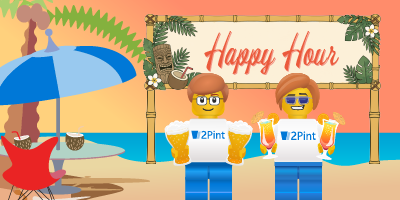
2Pint Software Happy Hour
It's 5 o'clock somewhere!
Join 2Pint Happy Hour for an informal hour of demos, tech talk, and general hanging out. Sometimes we'll show off cool stuff, sometimes we'll just chat, but it's always a good time!
Grab your drink of choice and come as you are.
3PM-4PM Central Time (America/Chicago)
2Pint Software Happy Hour
It's 5 o'clock somewhere!
Join 2Pint Happy Hour for an informal hour of demos, tech talk, and general hanging out. Sometimes we'll show off cool stuff, sometimes we'll just chat, but it's always a good time!
Grab your drink of choice and come as you are.
3PM-4PM Central Time (America/Chicago)
2Pint Software Happy Hour
It's 5 o'clock somewhere!
Join 2Pint Happy Hour for an informal hour of demos, tech talk, and general hanging out. Sometimes we'll show off cool stuff, sometimes we'll just chat, but it's always a good time!
Grab your drink of choice and come as you are.
3PM-4PM Central Time (America/Chicago)
Advanced scenarios with iPXE: Network encryption automation
Central Time (America/Chicago)
In this webinar Mike Terrill and Mattias Benninge will take you beyond basic network booting to discover what's possible with advanced iPXE. Learn how to customize menus and branding, automate deployments using parameter data, implement authentication, integrate with WinPE using winpeshl and injection scripts, explore the underlying SQL data, and apply powerful scripting techniques that make deployment environments more flexible, scalable, and intelligent. This session is packed with real-world examples, tips, and tricks for experienced deployment engineers.
Modern content management and peering of content
Central Time (America/Chicago)
In this webinar attendees will learn how to create a strategy for optimal content management. When do you need a caching server such as MOM or MCC and when should you peer? What are BranchCache and Delivery Optimization and how can you manage them? Andreas Hammarskjöld and Mattias Benninge will show you how our tools make this easy for you and how we visualize the data into actionable insights that can be automated to keep your estate healthy and your network team happy!