

2Pint Software events and webinars
Welcome to the 2Pint Software events calendar. Here you will find a list of our online webinars and in-person events that we will be attending. You can also replay some previous events if you missed them. Hope to see you soon!
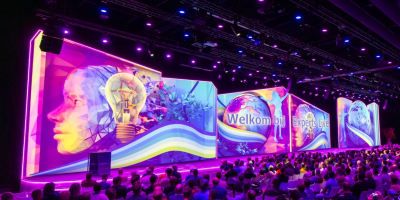
Experts Live Netherlands 2026
Experts Live is an international Microsoft community platform where knowledge sharing through live events is central.
Every year, Experts Live Netherlands organizes a large-scale one-day event where more than 1750+ IT Pros and Developers will get to know Microsoft technology. National and international community experts fully update visitors on the latest Microsoft technologies in one day.
Workplace Ninjas Belgium 2026
Workplace Ninjas Belgium 2026 brings together IT professionals, Microsoft experts and community leaders for a full day of knowledge sharing and inspiration.
Join 100+ IT professionals at the Lindner Hotel in Antwerp.
Experts Live UK 2026
Experts Live is a global, community-driven platform for Microsoft technologies, uniting MVPs, MCTs, and experts to share insights on Azure, AI, Security, and more. With 15+ years of experience and events across 12+ countries, it’s a top destination for IT professionals to network and gain real-world skills.
TechMentor 2026
Step into the future of IT and cybersecurity at Microsoft Headquarters in Redmond, WA, where TechMentor, a trusted learning destination since 1998, joins forces with Cybersecurity Live! Together, these powerhouse events bring IT managers, admins, engineers, and security professionals side by side to gain strategies, training, and insights—sharpening skills, sharing knowledge, and staying ahead in a rapidly changing technology landscape.
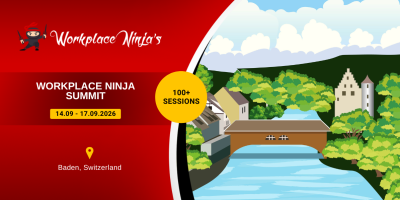
Workplace Ninja Summit
The goal of Workplace Ninja Summit is to bring the crowd of endpoint management and security ninjas together to share their knowledge and learn together. This covers topics around management of endpoints with Configuration Manager and Intune, as well virtual desktops and the complete security stack of Microsoft.
MMS Midway Edition
MMS is THE endpoint management event of the year. It's called a summit, not a conference, for a reason: it's where industry-leading speakers and MVPs from around the globe connect with Microsoft PMs and developers for deep-dive technical sessions you won't find anywhere else.
Plus, plenty of opportunities to network, swap stories, and maybe make some lifelong IT friends.
Advanced step definitions in DeployR
Eastern Time (America/New_York)
So you've got DeployR, the built-in steps cover a lot of use cases, you could use a PowerShell script to do a task that you typically do in all of your task sequences, but you'd like to add additional flexibility and ease of use for your DeployR Admins? It's time to create a custom step definition.